

Bring Benaiah into your terminal.

A terminal-first coding agent for complex work, powered by your choice of frontier model.

Models from

$curl -fsSL https://benaiah.ai/cli/install.sh | bash

Available to try for free

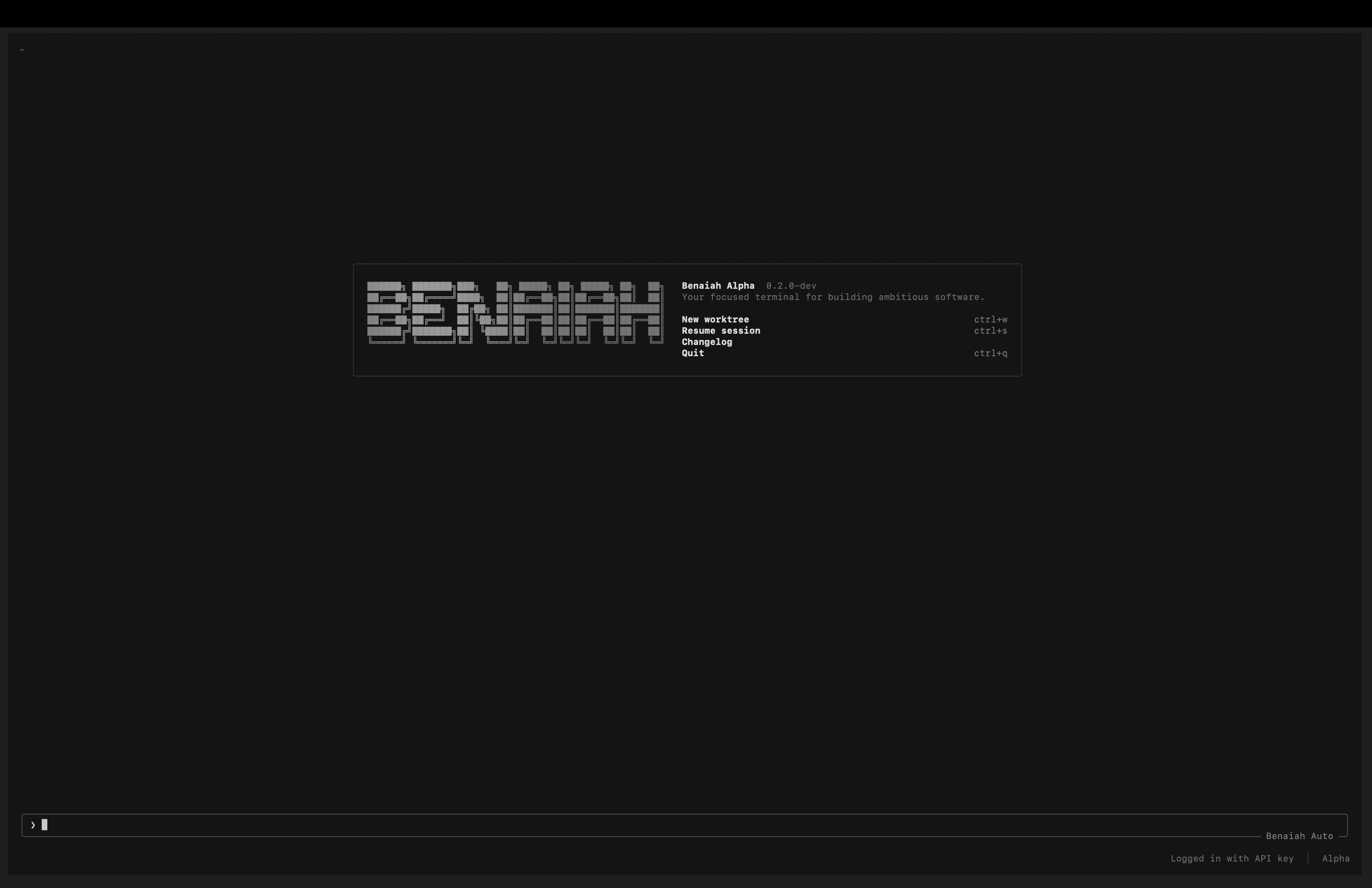
Desktop view of the installed Benaiah Alpha terminal interface with its worktree menu, command prompt, Benaiah Auto model and local API-key session.
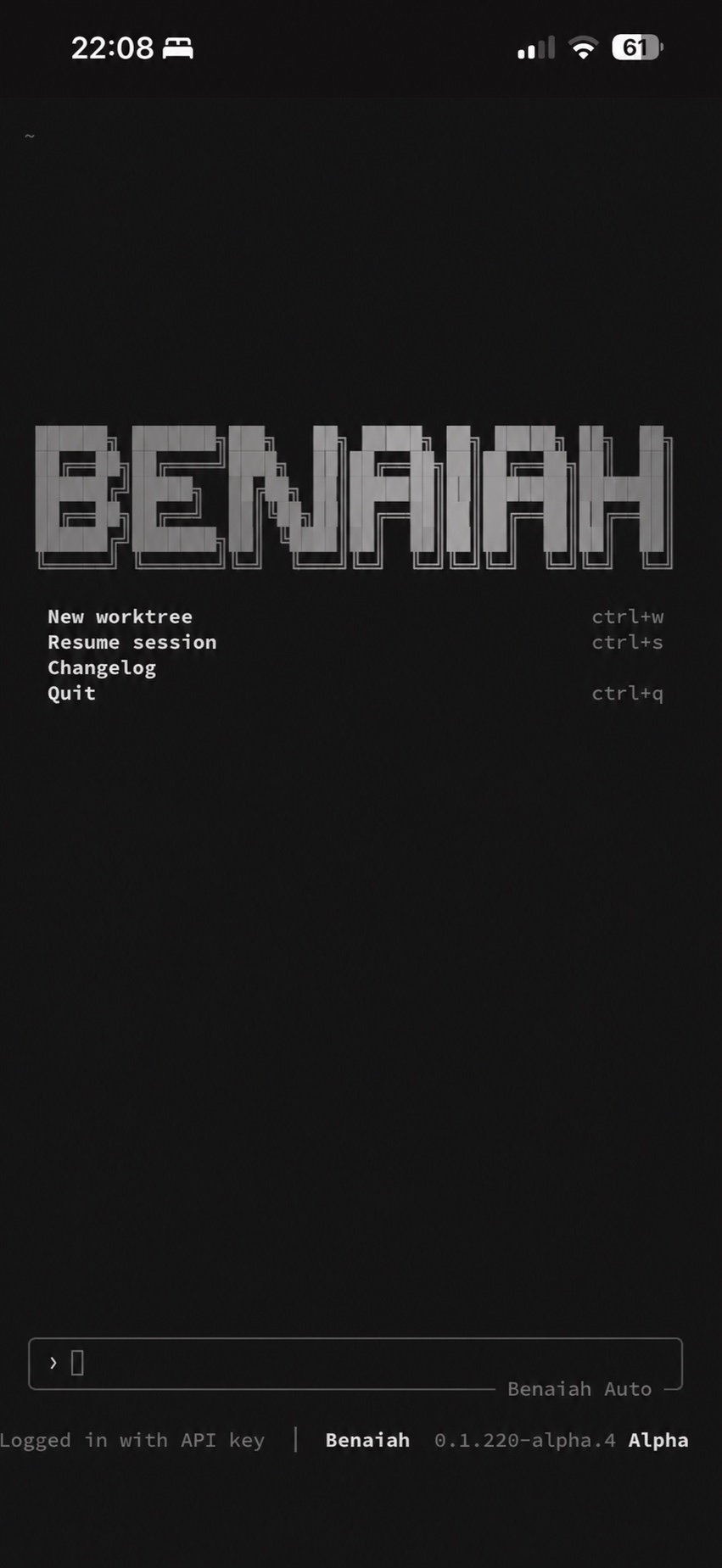
Mobile view of the live Benaiah terminal harness, showing its worktree menu, command prompt and Benaiah Auto model.
Run Benaiah on your Mac. Control it securely from your phone. No mock-up. No generated interface.

Inside the harness

From first thought to shipped code.

Benaiah keeps the workspace familiar while you choose the intelligence, tools, context, and control needed for serious engineering work.

Model selector

Change the brain. Keep Benaiah.

Benaiah stays familiar while you swap the AI model underneath it. Choose a different brain for speed, depth, or cost from one simple menu.

  • Switch models with /model inside the terminal
  • Frontier and open models from leading AI labs
  • Keep the same tools, context, and workflow
Plan

Plan before you build.

Start complex work with an explicit implementation plan. Review the approach, challenge assumptions, then approve the build.

  • Architecture and sequencing before files change
  • Approval gates for controlled execution
  • Readable diffs after every implementation step
Skills

Reuse what works.

Package repeatable workflows as skills so Benaiah can apply the same standards across repositories and sessions.

  • Invoke skills directly or let matching tasks trigger them
  • Carry project conventions through AGENTS.md
  • Combine instructions, scripts, and reference material
Integrations

Connect your tools.

Extend the harness with plugins, hooks, and MCP servers while keeping project-level trust and permissions explicit.

  • Bundle tools and workflows behind one installation
  • Connect external services through MCP
  • Run hooks around file edits and tool calls
Clarity

Choose with confidence.

When a decision materially changes the outcome, Benaiah pauses and presents the choice in a form that is quick to answer.

  • Surface architecture and product decisions early
  • Keep options concrete and mutually exclusive
  • Feed the answer directly into the working plan
Subagents

Share the workload.

Delegate bounded research, implementation, and review tasks to specialised agents, each with isolated context and clear ownership.

  • Investigate multiple parts of a system concurrently
  • Use isolated worktrees for independent changes
  • Bring findings back into one accountable session

Start in your terminal.

One command installs the public beta on macOS, Linux, or Windows. Your free Benaiah access pass is created securely on first launch.

$curl -fsSL https://benaiah.ai/cli/install.sh | bash

One connected workspace

Everything needed.

Explore, decide, edit, execute, and verify without stitching together a different tool for every stage.

Model selector

Switch the intelligence without changing the harness.

Plan mode

Review a structured approach before implementation begins.

Subagents

Delegate parallel research, building, and review tasks.

Skills

Make specialised workflows reusable across sessions.

Hooks

Run trusted automation around edits and tool calls.

MCP servers

Bring external tools and business systems into context.

AGENTS.md

Set durable repository instructions and conventions.

Project memory

Carry decisions and working context between sessions.

Code search

Navigate unfamiliar repositories and trace behaviour fast.

Multi-file edits

Coordinate precise changes across an entire codebase.

Git workflows

Inspect diffs, manage branches, commit, and publish.

Web research

Check current documentation and primary sources.

Terminal execution

Run builds, tests, scripts, and diagnostics with live output.

Headless mode

Use the harness in repeatable scripts and pipelines.

Code review

Surface defects and risks before changes are shared.

Sandboxed tools

Constrain execution when a task needs tighter boundaries.

Background tasks

Keep long-running processes visible and manageable.

Themes

Choose the terminal appearance that suits your environment.

Session rewind

Return to earlier checkpoints when the direction changes.

Bring Benaiah into your terminal.

Install the macOS, Linux, or Windows beta and start building inside any repository.

$curl -fsSL https://benaiah.ai/cli/install.sh | bash
Install command copied